Industry

Built for mobile phone shops selling on installment

If your shop sells Android phones on qist and you're tracking payments by hand — or chasing overdue customers with no way to enforce the plan — IBS is built for exactly this.

The problems it solves

  • Tracking financed devices — every enrolled phone, its owner, and its installment plan live in one Client Dashboard instead of a notebook or spreadsheet.
  • Installment plan management — set the price, down payment and number of months once in the Dealer App; due dates and reminders follow automatically.
  • Overdue payments — see exactly which accounts are overdue and by how much, without calling every customer to check.
  • Device enforcement — apply app, call or device lock remotely when a payment is missed, and release it once the payment is recorded.
  • SIM-change alerts — get notified if a financed device's SIM is swapped, a common early sign of a customer trying to avoid enforcement (see SIM-change alerts).
  • Live GPS location — see where a device is when an account goes quiet, instead of guessing (see GPS tracking).
  • Payment reminders — automatic reminders on the customer's phone before and after the due date, plus your own reminders and alarm alerts, before enforcement ever kicks in (see payment reminders).
  • Business expenses & reporting — track shop expenses alongside collections, and see gross revenue, expenses and net profit in one place, without a separate spreadsheet.
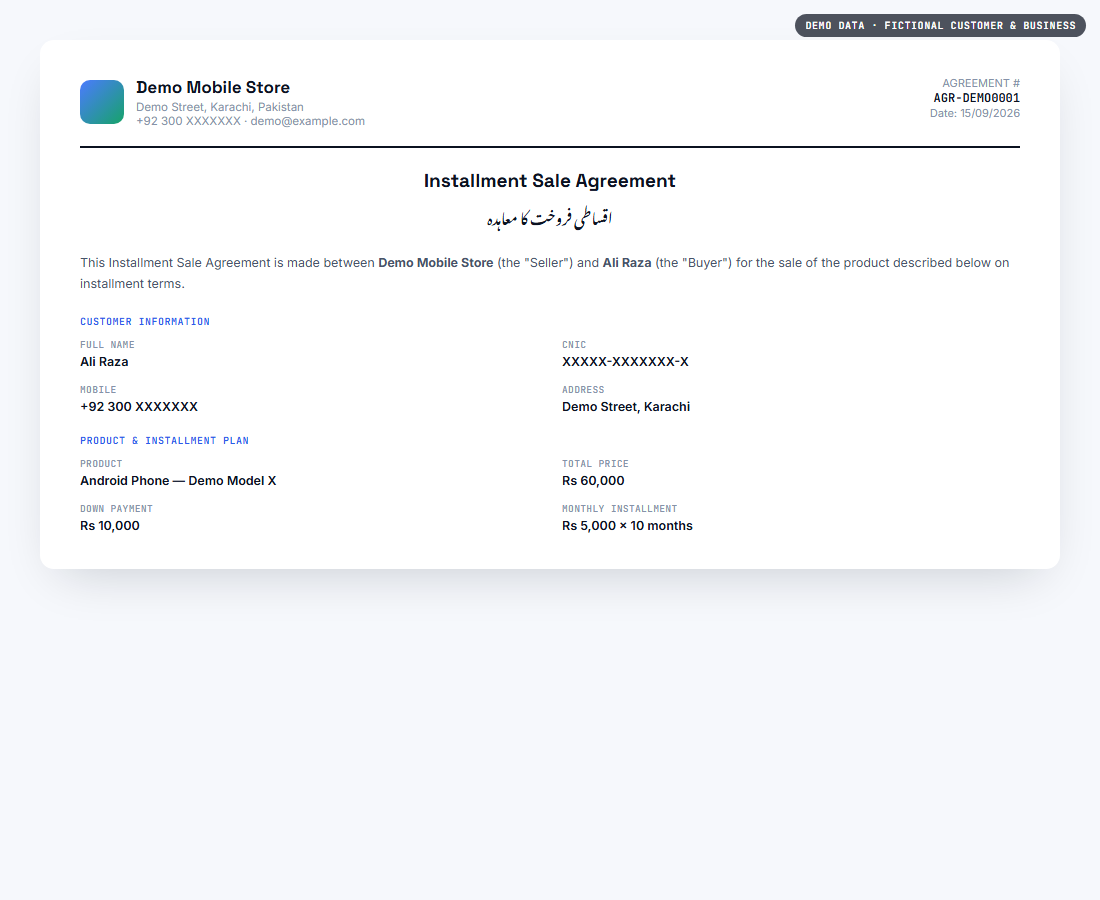
  • Installment agreements — generate a bilingual (Urdu/English) installment sale agreement for each customer, ready to print or save as a PDF.
  • Retailer visibility — if you run more than one branch or dealer, the Client Dashboard gives you one view across all of them, not one notebook per counter.

How your counter staff use it

Day-to-day enrollment, plan setup, payment collection and lock/unlock happen from the Dealer App, built for whoever is standing at the counter — not the office.

See it in the Client Dashboard

These are the actual Client Dashboard screens your business would use — shown here with fictional demo data, not a real customer's information.
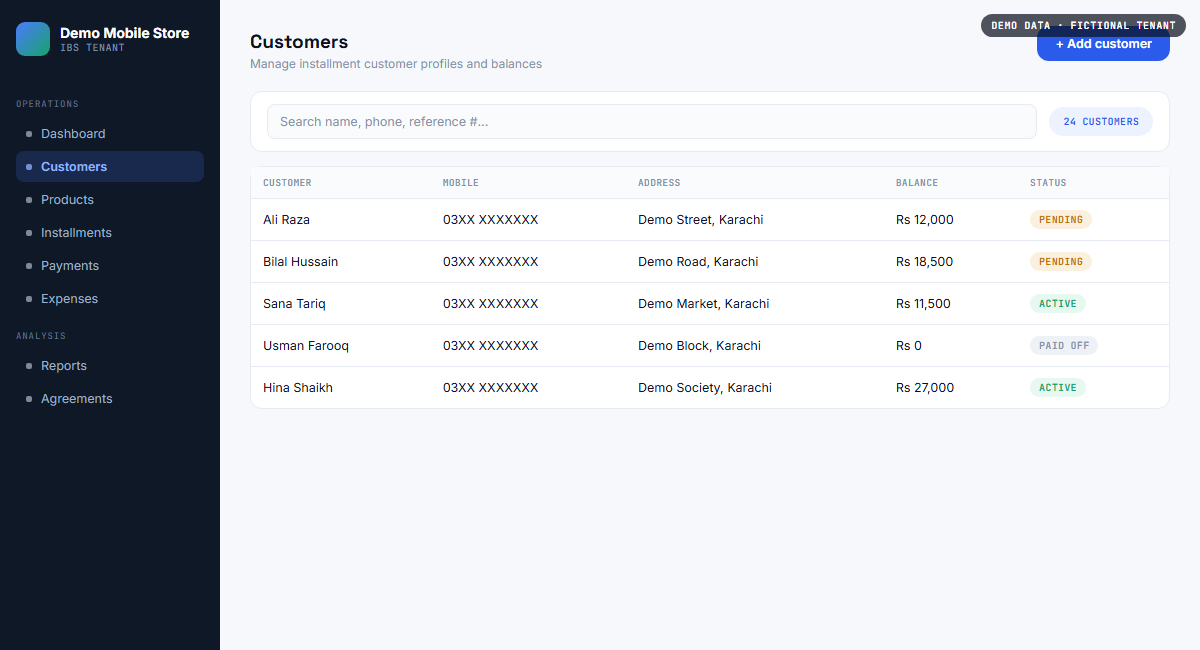
IBS Client Dashboard customer list showing name, mobile number, address, balance and status for installment customers, with demo data
Customer records — every installment customer in one searchable list.
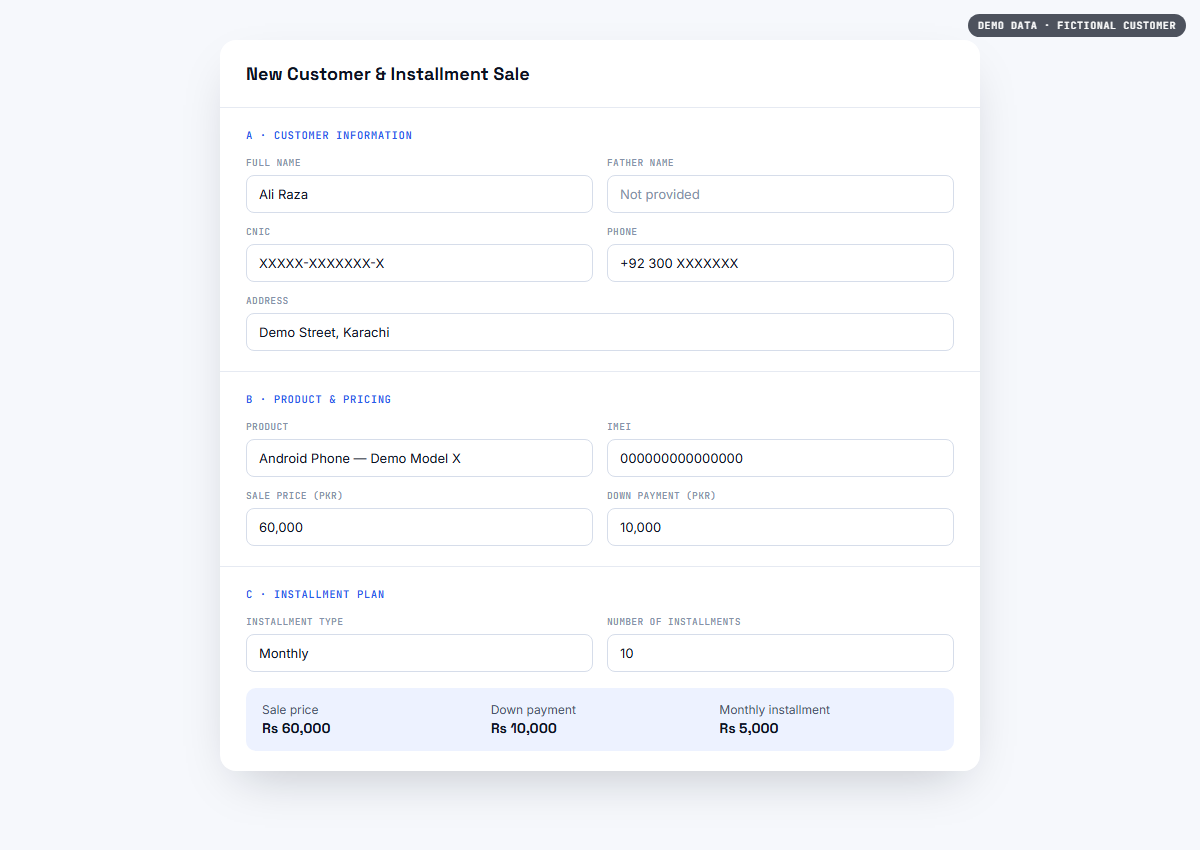
IBS new customer and installment sale form showing customer details, product information and installment plan fields, with demo data
Registering a new installment sale — customer, product and plan in one form.
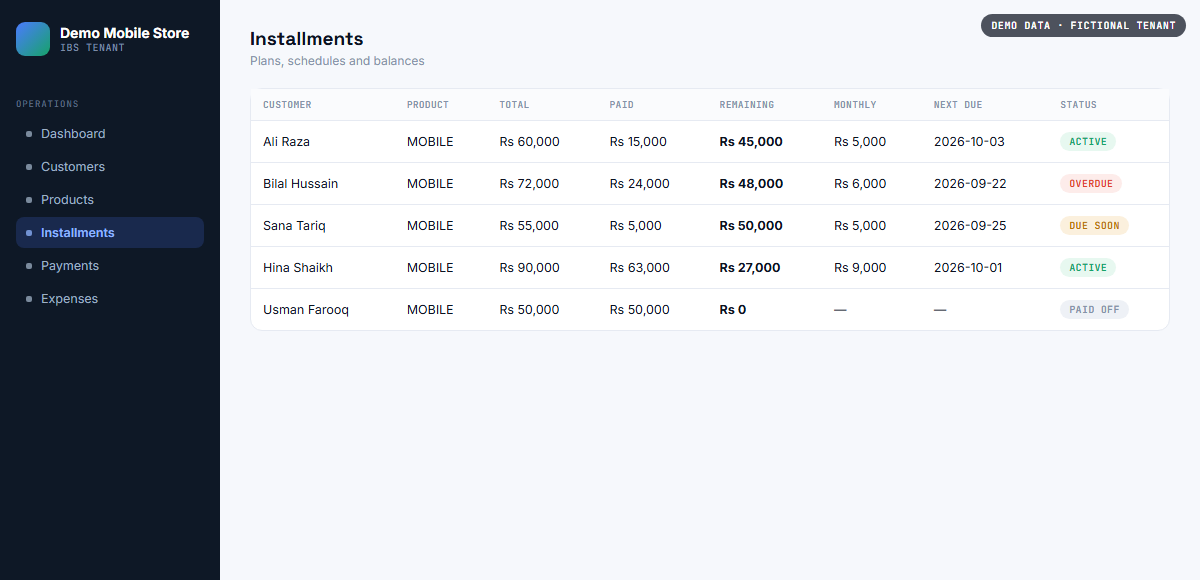
IBS installments list showing total, paid, remaining balance, monthly amount, next due date and status for each customer, with demo data
Installment tracking — every plan's balance and due date at a glance.
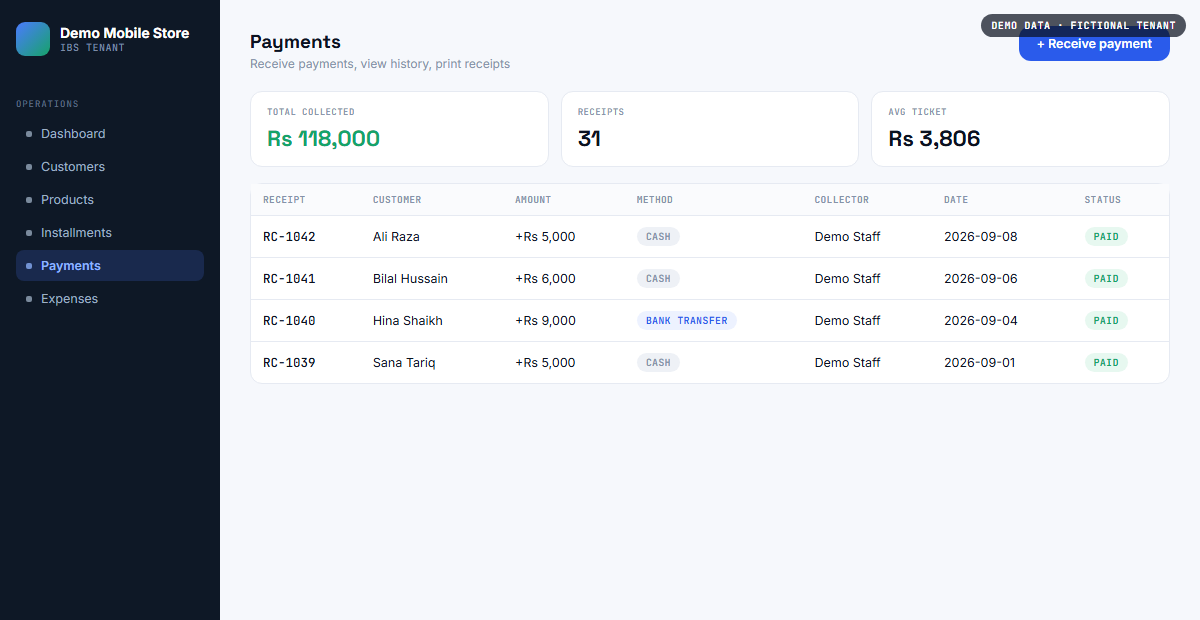
IBS payments screen showing total collected, receipt count, average ticket size and a log of individual payment receipts, with demo data
Payment collection — receipts, totals and collection history.
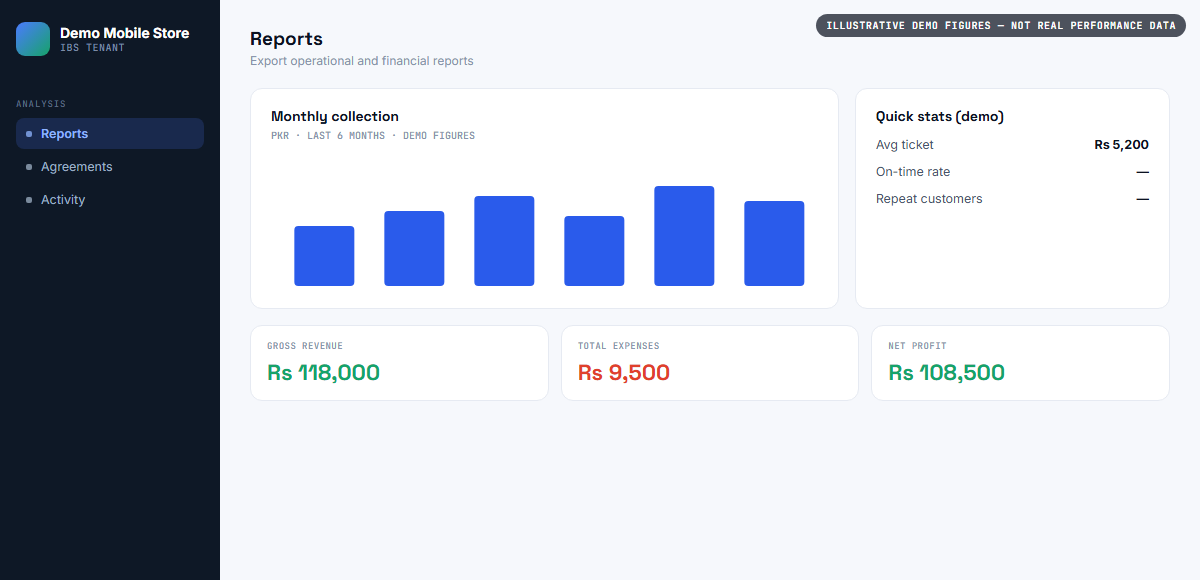
IBS reports screen showing a monthly collection chart, gross revenue, total expenses and net profit, with demo data
Business reports — revenue, expenses and net profit in one view.
IBS bilingual installment sale agreement document in English and Urdu with customer and product details, ready to print, with demo data
A printable, bilingual installment sale agreement, generated for the customer.

What IBS is not

IBS is not a general accounting system, a full retail point-of-sale, or an inventory/warehouse platform. It's focused specifically on the installment side of a phone shop's business: tracking what's owed on financed devices and enforcing payment through the device itself.

Get started

Set up your shop's dealer account

Your first 10 device keys are free — enough to enroll your first few installment customers and see the whole flow, end to end.